
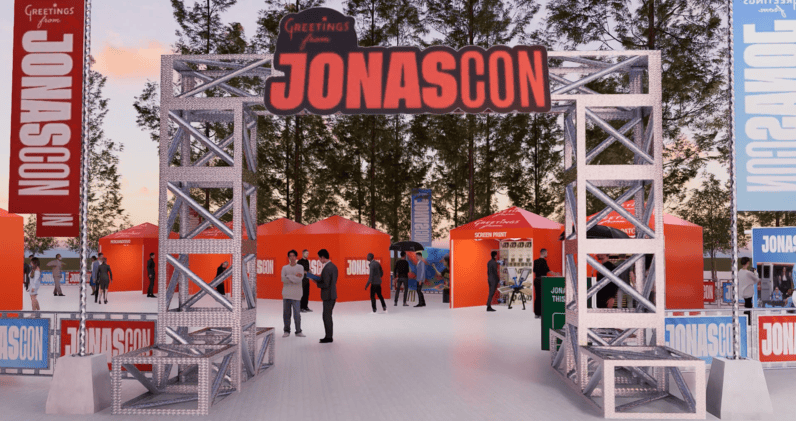
A 3D event walkthrough starts with a brief and venue information, moves through layout and spatial modeling, then adds materials, lighting and a planned camera route before review and export. The exact steps, deliverables and timing depend on the venue data, design scope, revision rounds and animation detail.
What should you send before work starts?
Useful inputs include a scaled floor plan or measured dimensions, ceiling height, fixed venue features, event date and format, guest count, layout priorities, stage and AV needs, furniture preferences, brand assets and visual references. Share what is confirmed and clearly label estimates or open decisions.
If a CAD file is unavailable, ask the venue for its latest plan and confirm critical dimensions with the venue team. The designer should identify missing information rather than silently treat guesses as verified measurements.
How is the walkthrough produced?
1. Brief and scope
The team agrees on the decision the visualization should support, which areas are included, the camera path, image or video deliverables, review rounds and schedule assumptions.
2. Venue model and layout blockout
The room and major event elements are represented at an agreed level of detail. This is the right point to review arrangement, approximate scale, circulation questions and viewpoints before decorative work begins.
3. Design development
Once the layout direction is accepted, the model gains furniture, stage elements, décor, materials, brand treatments and lighting intent. Reference images and approved assets help keep this stage aligned with the brief.
4. Camera path and preview
The camera route is planned to show the important guest and presentation views. A low-cost preview or stills can be reviewed before final rendering, giving stakeholders a chance to correct direction without waiting for a finished animation.
5. Review, revisions and export
Feedback is consolidated, agreed revisions are applied, and final images or video are exported. Confirm formats, resolution, aspect ratio, captions and intended presentation use before final delivery.
How long does a 3D event walkthrough take?
There is no universal turnaround. A simple, well-documented layout with a short camera route is different from a large venue, custom modeled staging, multiple lighting versions or a detailed animation. Missing measurements, late design changes, feedback from several approvers and render complexity can all affect timing. Request a schedule after the scope and inputs are reviewed; the service page should be treated as the source for the provider’s current estimate.
What should you review before approving it?
- Are the venue dimensions and fixed features based on current information?
- Do the camera views show the entrance, guest areas, stage and key transitions?
- Are unresolved dimensions or technical assumptions clearly marked?
- Have venue rules, fire and life-safety requirements, accessible routes, rigging and electrical plans been checked by the responsible parties?
- Does the final export match the agreed format and use?
Common questions
Do I need a CAD file?
A CAD file can help, but ask the designer what formats they accept. A clear measured plan and confirmed dimensions may be enough for an agreed scope; complex venues benefit from more accurate source information.
Can I change the layout during production?
Usually changes can be discussed, but they may affect scope and schedule, especially after detailed modeling or animation begins. Agree on review checkpoints and revision terms before work starts.
Does the animation prove the setup is safe or accessible?
No. Visualization helps communicate a proposal; it does not replace technical drawings, venue approval, accessibility review or safety checks.
In short
- Prepare accurate venue information and a clear decision-focused brief.
- Approve the layout before spending time on detailed materials and final animation.
- Set timing after reviewing scope, inputs, review rounds and technical checks.
Planning an event?
Share your venue and brief and we will show you the design in 3D before anything is built.
Discuss your project