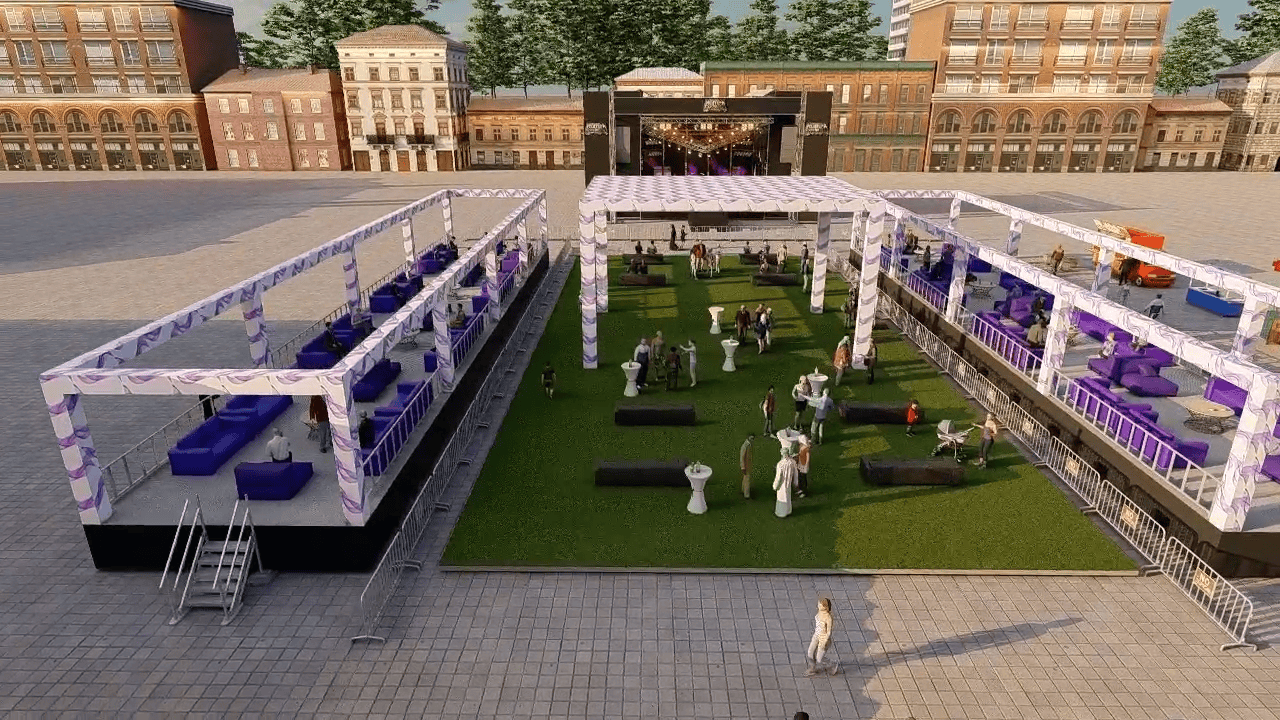
A 3D event preview is useful when you need to judge how a proposed layout, stage, seating plan or décor will fit a real venue. It helps a team discuss the same visual before committing to production, but it does not replace a site visit, venue approval, measured plans or an accessibility and safety review.
Why review an event in 3D before booking?
Plans and mood boards communicate different things. A floor plan explains positions; a mood board communicates style. A 3D view combines the proposed arrangement with the room, helping clients and suppliers spot questions that are hard to answer from a flat drawing alone.
That is especially useful when several people need to approve the concept. Instead of asking each person to imagine the same room from a plan, the team can review the entrance, focal point, guest areas and stage from shared viewpoints.
What can a 3D event preview help you check?
- Guest flow: how the entrance, registration, seating, bar and activity areas relate to one another.
- Sightlines: whether columns, stage elements or screens may obstruct views from likely seating positions.
- Scale and placement: whether a stage, backdrop, table arrangement or branded feature appears proportionate to the room.
- Design options: how a proposed colour palette, lighting mood or layout could look in context.
These are review prompts, not automatic approvals. The accuracy of a visualization depends on the measurements and assumptions supplied, so confirm dimensions and venue restrictions with the venue and production team.
What a render cannot certify
A visual preview is not proof of legal occupancy, fire egress, structural rigging capacity, electrical safety or accessible circulation. Those requirements must be checked against venue documentation, applicable local rules and qualified professionals. In the United States, consult the official 2010 ADA Standards for Accessible Design and confirm the specific venue layout with its operator.
What should you prepare for a 3D preview?
Start with a scaled floor plan or the best available venue dimensions. Include columns, doors, windows, ceiling height and fixed equipment where known. Add the expected guest count, event format, stage and AV requirements, seating preferences, brand assets and a few visual references. Mark anything that is still undecided so the design team can show options rather than treat assumptions as confirmed facts.
Common questions
Is a 3D preview the same as a venue virtual tour?
No. A venue tour usually shows the existing space. A design preview depicts a proposed setup, which may include temporary staging, furniture, décor and lighting.
Will a 3D preview prevent every event-day issue?
No. It can make design decisions easier to review, but it cannot account for every site condition or last-minute change. Use it alongside venue checks, technical plans and supplier coordination.
Can I compare two venues?
Yes, if you have reliable plans or measurements for both. Reviewing the same event requirements in each space can make differences in entrances, fixed features and layout options easier to discuss.
In short
- Use 3D when the decision depends on how a proposed event fits the venue.
- Review guest flow, sightlines, scale and design alternatives with the team.
- Confirm capacity, access, safety and venue rules separately.
Planning an event?
Share your venue and brief and we will show you the design in 3D before anything is built.
Discuss your project